Multi-Plattform-App

Simply build your App

The increasing demand for customized mobile applications requires an efficient and flexible solution for app development. In this context, we present Multi-Platform App development kit. An innovative app builder that enables developers to create customized applications quickly and cost-effectively. The Multi-Platform App is characterized by its modular architecture, which allows anyone to seamlessly integrate and customize different functions and features. The kit offers a wide range of pre-built modules for common use cases such as user authentication, database integration, push notifications, text design, etc.
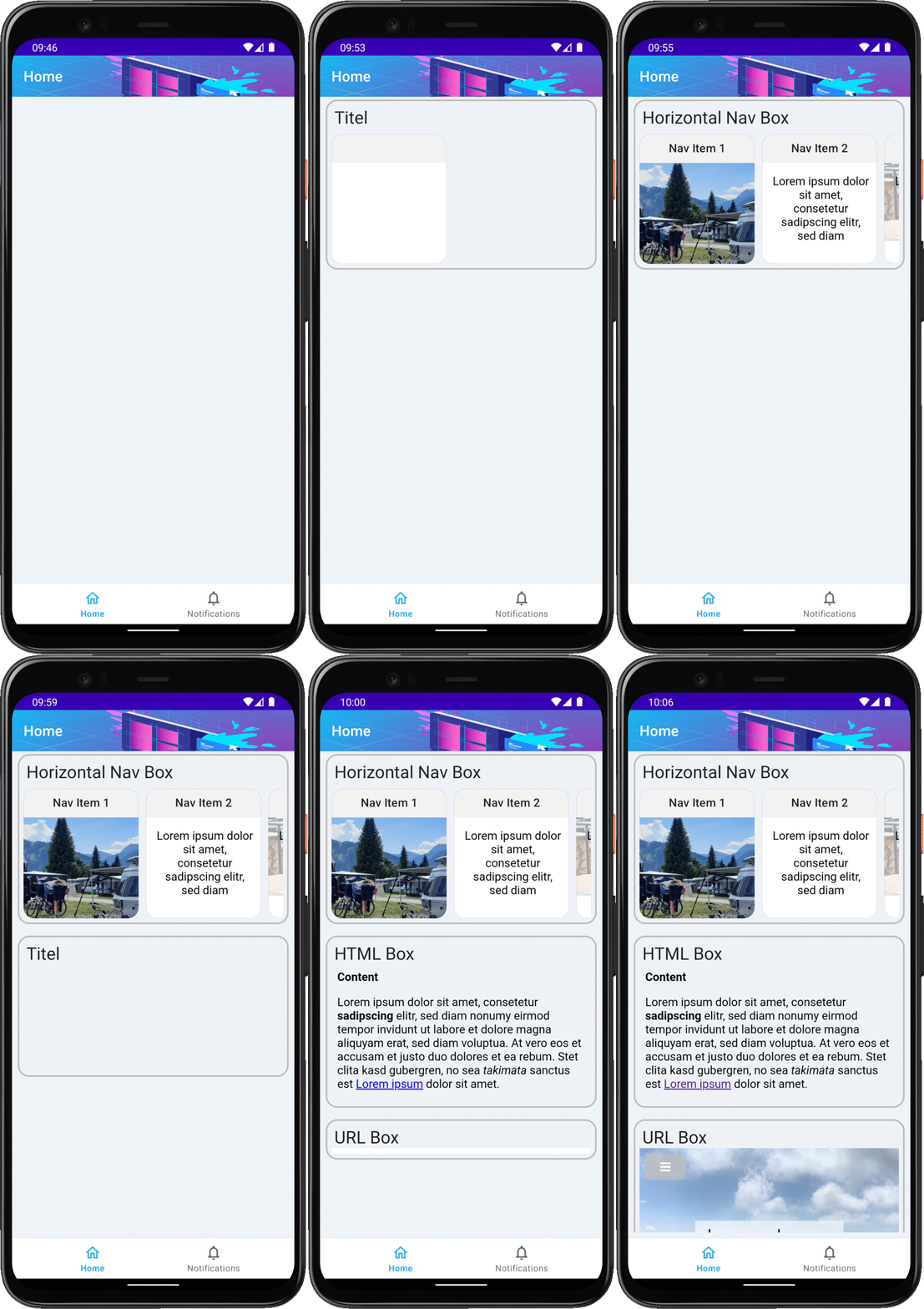
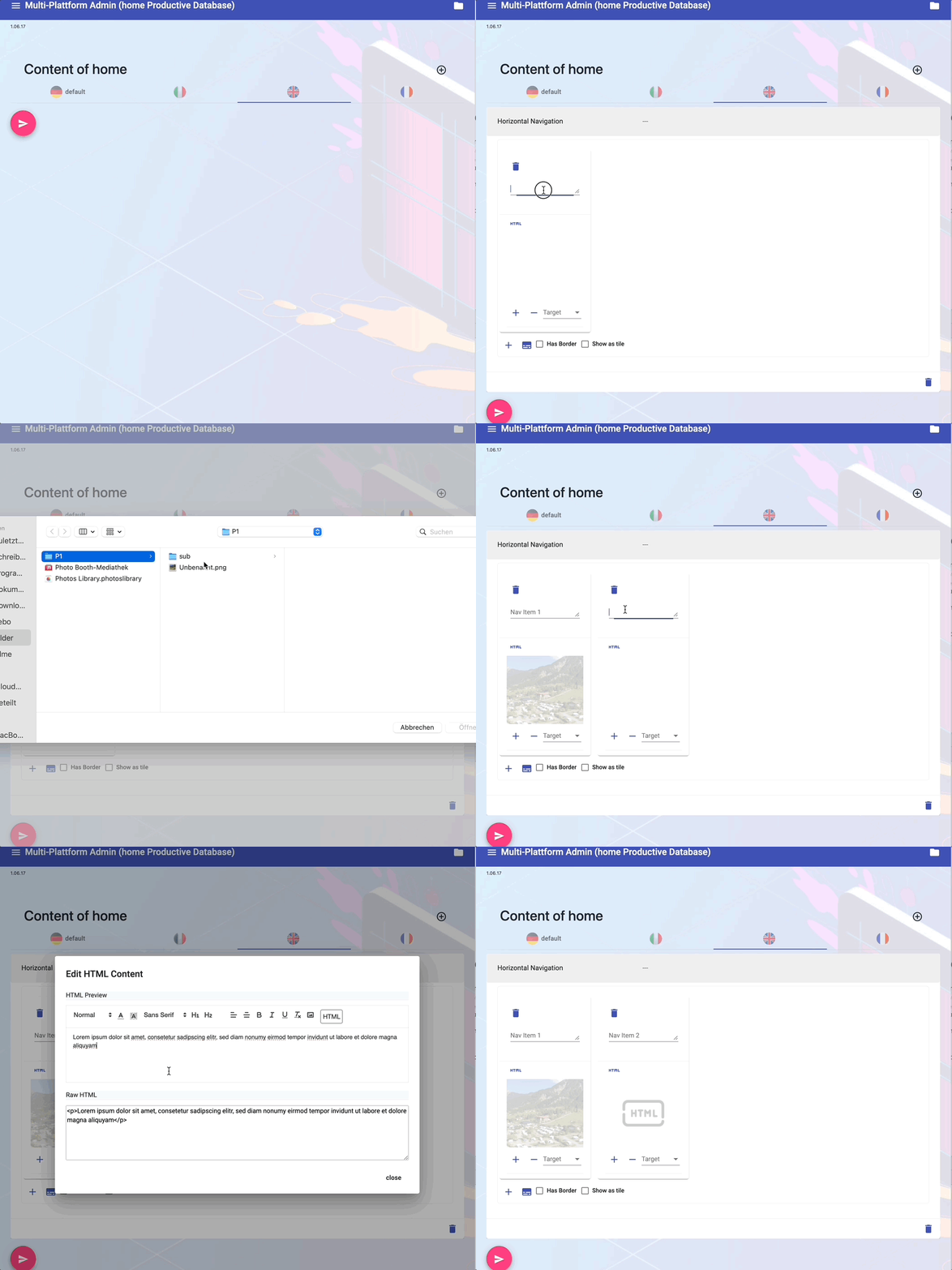
Create App Content

You can easily create content by using one of the ready-made templates. Depending on the template used, you have the option of assigning text, images and links within the app. Press Save and the content will be available in the app immediately.

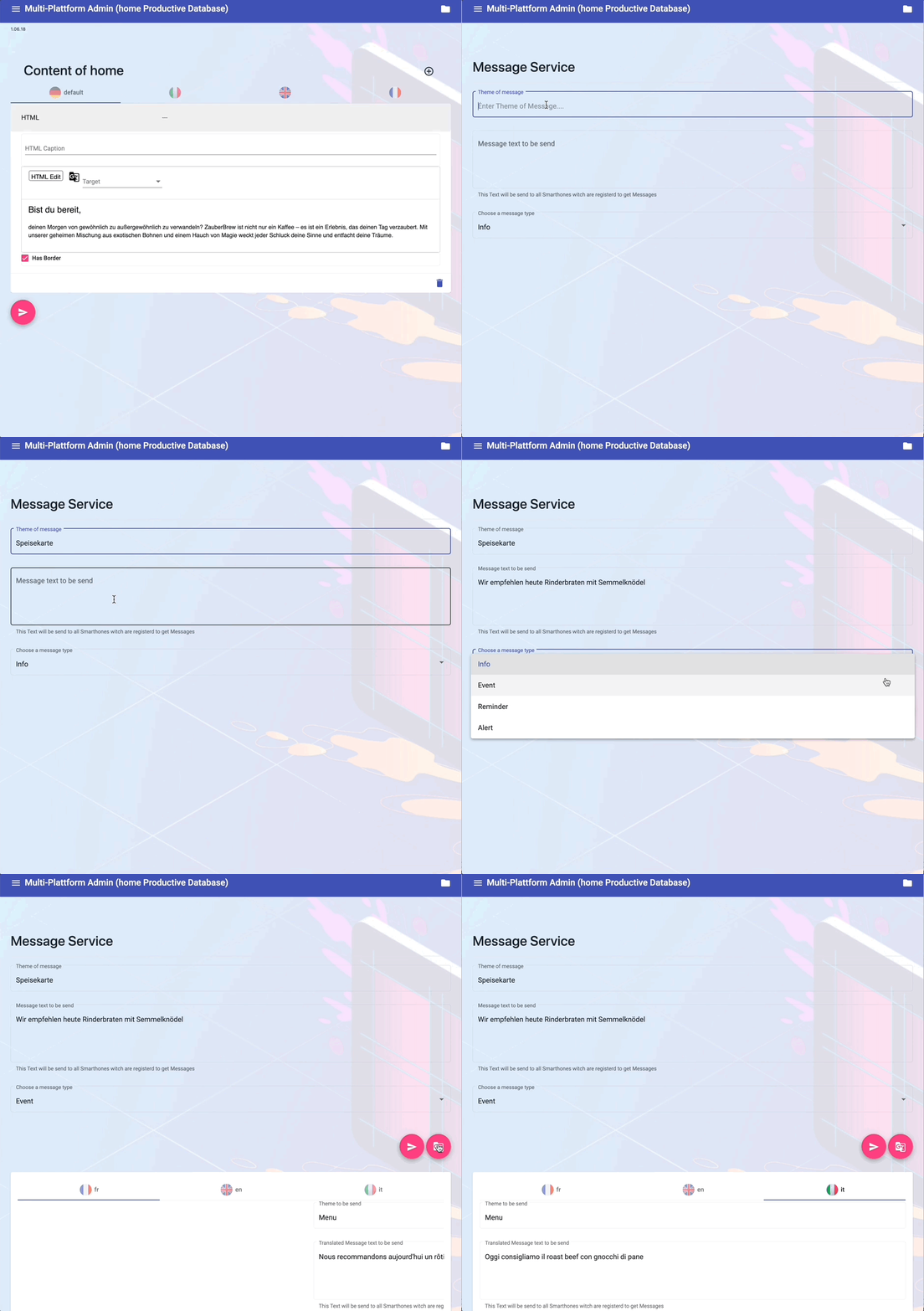
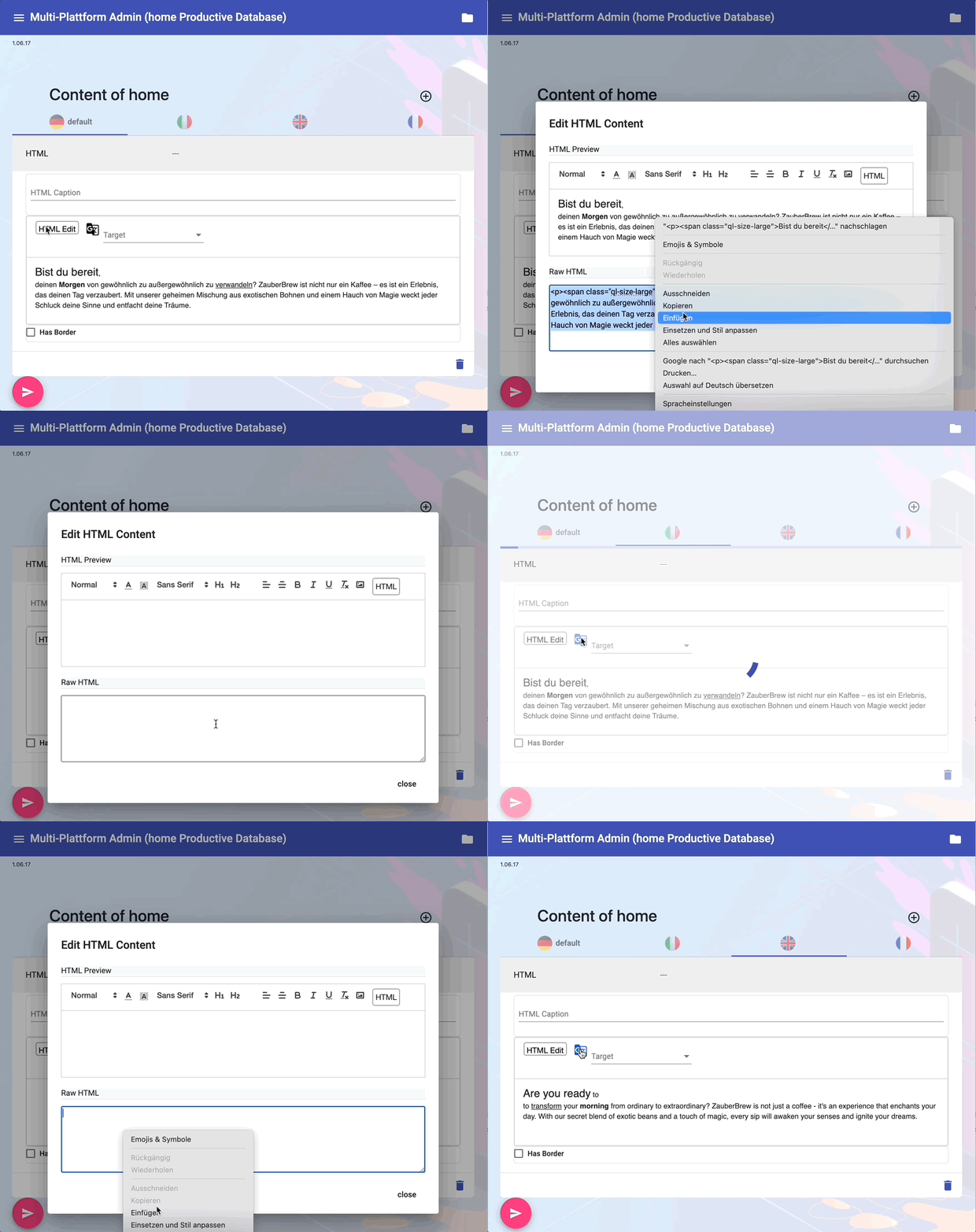
Create Multi Language Content

A special feature of the app is the ability to send multilingual push messages. This gives you the opportunity to reach your users in their native language. Inform users about various topics and categories such as events or emergencies. There is also the option of creating groups to which you can send targeted messages.

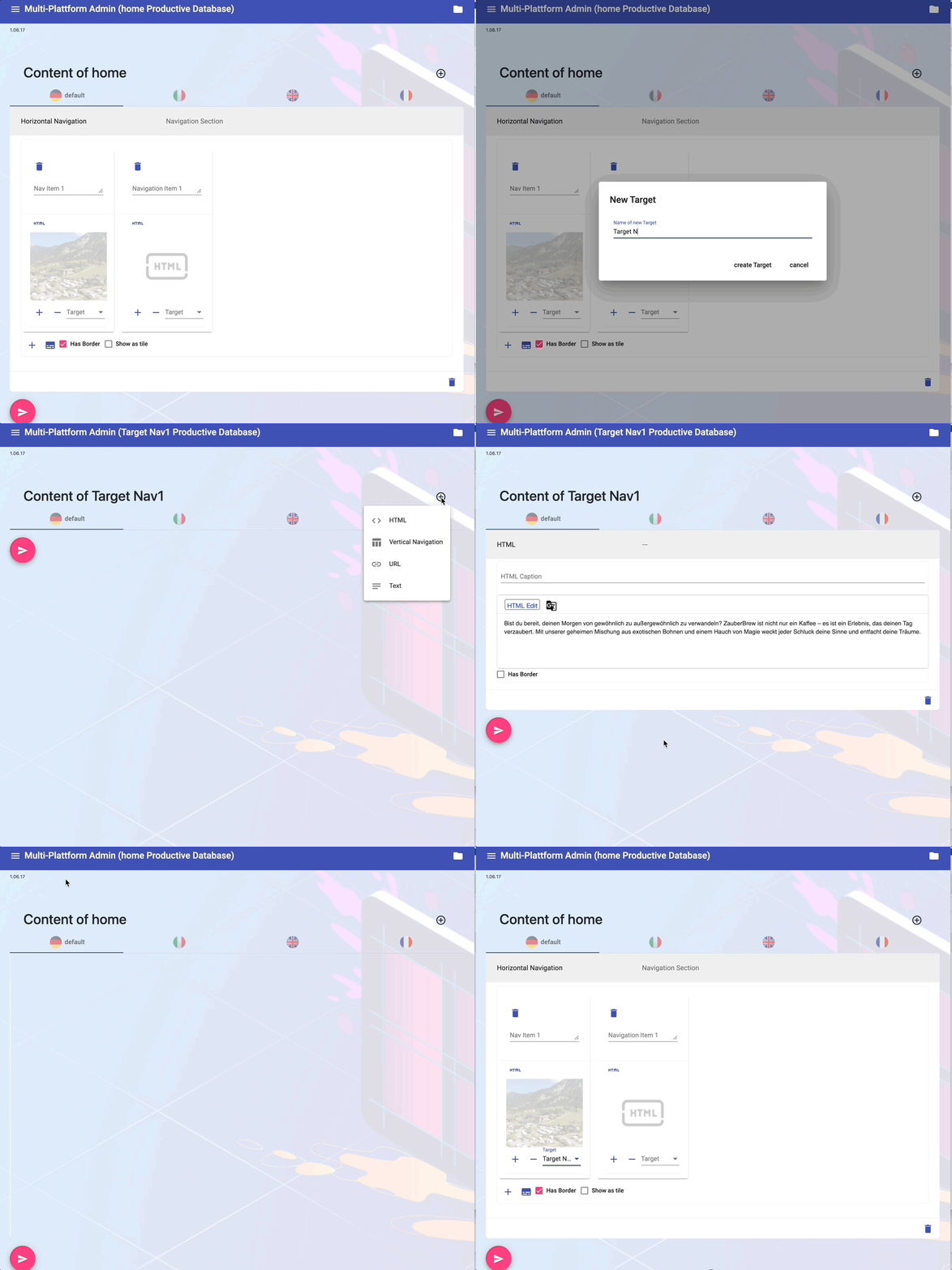
Create In-App Navigation

Starting from the start page, you can also easily create additional pages for your app. To do this, select the menu item "New Target" and create a landing page for the navigation destination. Then switch back to your start page and link the tile from which you want to navigate to the new navigation destination.

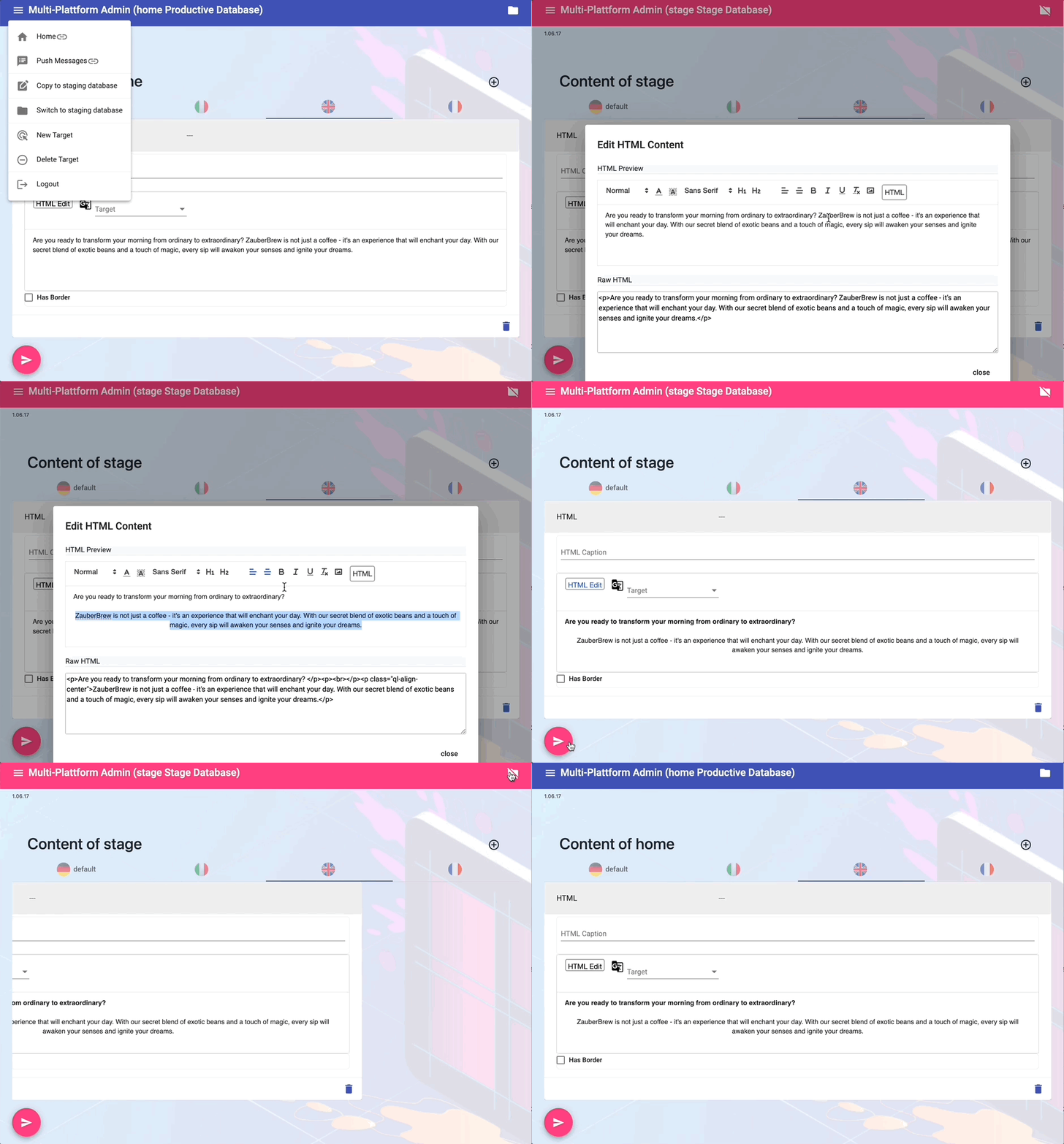
Use staging content

When you create new content, it makes sense not to put it online immediately, but only when the content is completely finished. There is a staging database for this purpose. Copy the current content from the production database to the staging database, switch to the staging database and change the content there. The change is not online until you copy the content from the staging database back into the production database.

Create Multilanguage Push Notifications

Starting from the start page, you can also easily create additional pages for your app. To do this, select the menu item "New Target" and create a landing page for the navigation destination. Then switch back to your start page and link the tile from which you want to navigate to the new navigation destination.

Get In Touch

If you would like a demonstration or more information about our platform, simply send us a short message.